Temp Mail vs Email Alias: Which Do You Actually Need?
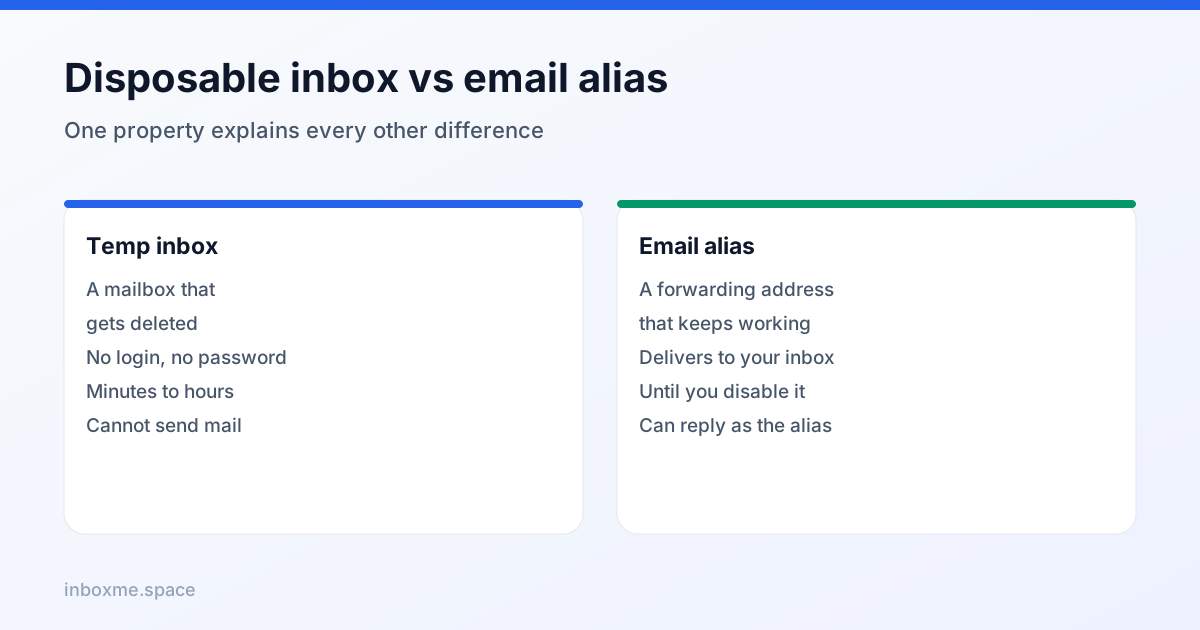
Both keep your real address out of a signup form, and both are sold as "privacy email". They behave completely differently the moment something goes wrong: one disappears, the other forwards forever. Picking the wrong one is how people lose accounts.
Here is the honest comparison, plus the decision rule that settles it in ten seconds.
The one-line difference
A temporary inbox is a mailbox that stops existing. An email alias is a forwarding address that keeps working until you turn it off, delivering into a mailbox you already own.
Everything else — cost, blocking risk, recovery, spam control — follows from that single property.

How each one actually works
Temporary inbox
You open a site, an address is generated on a domain the service controls, and messages appear in a web inbox that refreshes itself. No account, no password. When the session ends — or the service's retention window closes — the messages are gone and the address is dead. Nothing to recover, by design.
Email alias
You create an alias like [email protected] that forwards to your real address. Mail arrives in your normal inbox, you can reply from the alias, and you can switch it off the day a sender gets annoying. The address is unique per service, so blocking one sender never affects the others.
Plus-addressing, the free middle ground
Gmail and Outlook accept [email protected] and deliver it to [email protected]. It reveals the base address (so it does not stop a determined sender), but it gives you per-sender filtering for zero effort and zero cost.
Recovery is the deciding factor
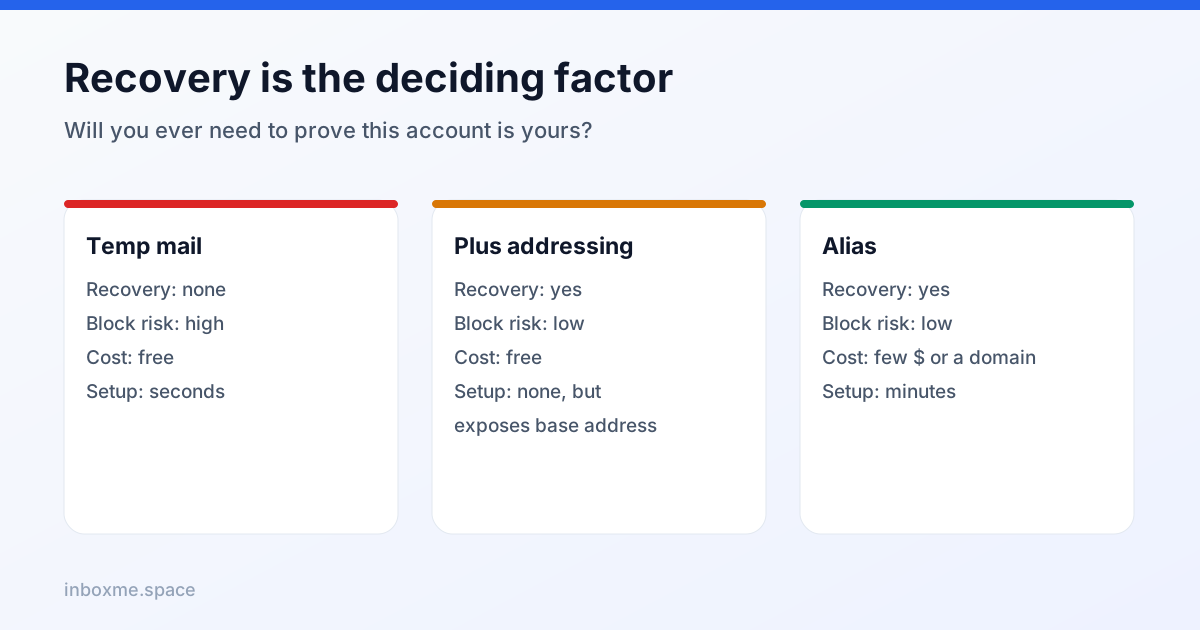
Ask one question: will I ever need to prove this account is mine?
- Password reset, new-device code, purchase receipt, 2FA recovery, support ticket — every one of them routes to the address on file.
- An alias survives that. A disposable inbox does not. Public temp inboxes are also readable by anyone who guesses the address, which is disqualifying for anything holding codes.
If the answer is "yes, maybe", use an alias. If it is "no, this is a one-off code I will never need again", a temp inbox is cheaper and cleaner.
Do sites block one more than the other?
Yes, and the gap is widening.
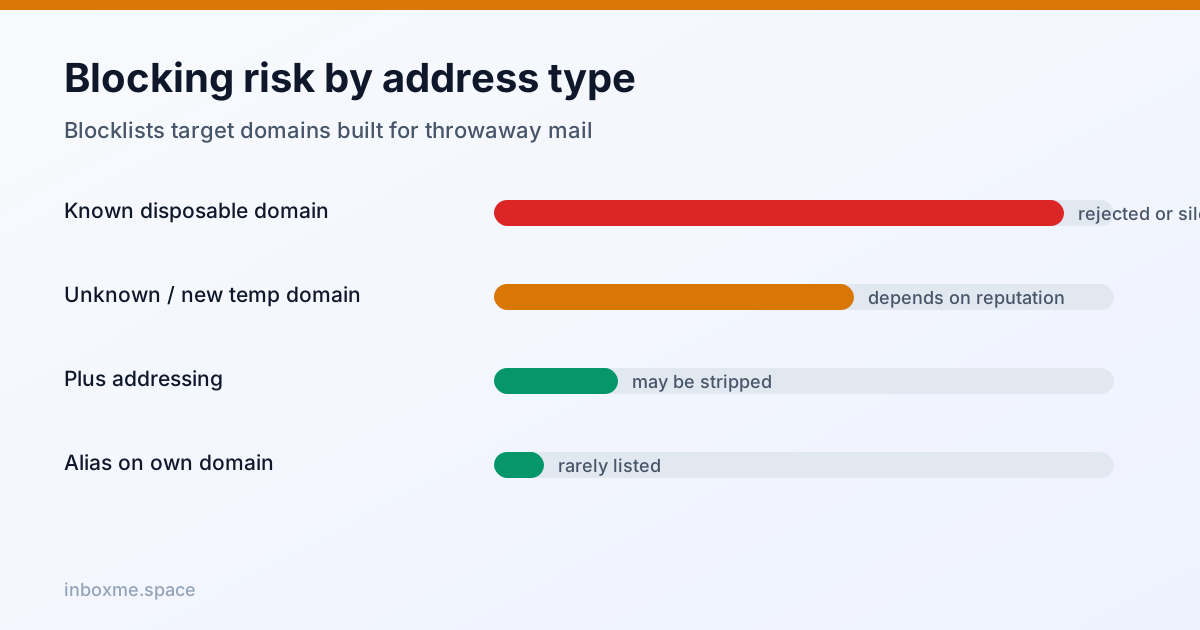
Disposable-domain blocklists are shared, constantly updated lists of domains whose entire purpose is throwaway mail. If your address sits on one of those domains, the site can reject it before a message is ever sent — and many sites do so silently.
An alias on a domain you control, or on a mainstream alias provider, is not on those lists, because the domain is not disposable. There is a second, subtler difference: sites increasingly score domain age and sending reputation. A brand-new disposable domain scores badly; an established mailbox domain does not.
The failure is not always a clean rejection. "Please enter a valid email address" on a perfectly valid address is usually a blocklist hit, and so is a form that accepts the address and then never sends anything.
Cost, setup and control
- Temp inbox — free, zero setup, no account. Control: none. Retention: minutes to hours.
- Plus-addressing — free, zero setup, built into your existing mailbox. Control: filtering only. It still exposes your base address.
- Alias service — a few dollars a month or a free tier with limits. Setup: minutes. Control: per-sender on/off, replies from the alias, forwarding rules.
- Alias on your own domain — the cost of one domain per year, plus DNS. Control: total. A catch-all gives you a fresh address for every service forever.
Three real scenarios
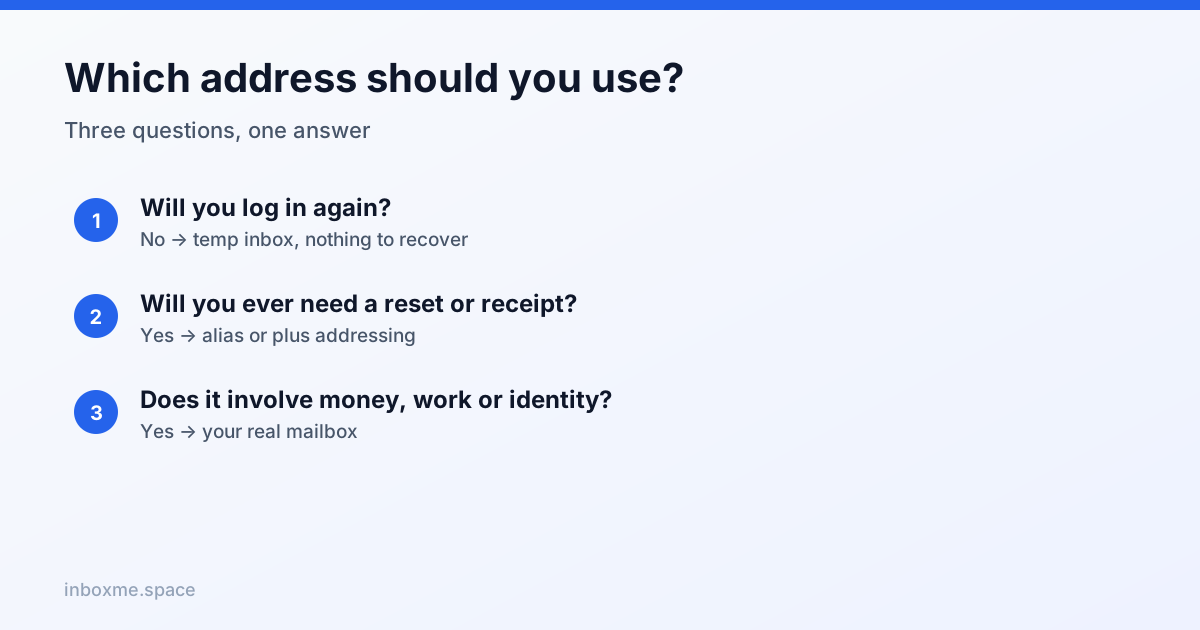
- A download gate that demands an email for a PDF. Temp inbox. You will never log in again, and the sender is exactly who you want to keep away from your real inbox.
- A new SaaS account you might pay for later. Alias. You need the password-reset path to keep working, and you may need the receipts.
- A shop you buy from twice a year. Alias or plus-addressing. You want the order confirmations, and you want to silence the marketing without changing your email on file.
A fourth case worth naming: an account you are testing, like a staging signup or a flow you are checking as a developer. Temp inbox again — and if the flow involves codes, keep the tab open until you are done.
How to combine them with inbox Me
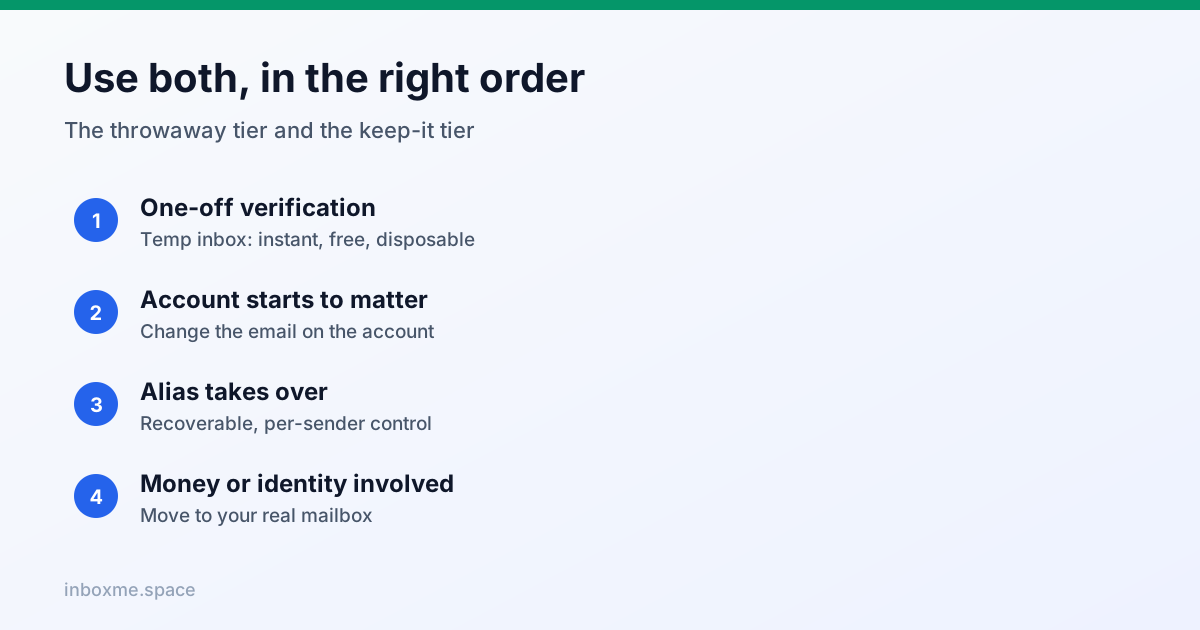
Use inbox Me as the throwaway tier: instant address, no account, nothing to recover. Use an alias for the tier above it. The practical rule:
- One-off verification → temp inbox.
- Anything with a receipt, a subscription or a password → alias.
- Anything with money, work or identity attached → your real mailbox.
And if you start with a temp inbox and later decide the account matters, change the address before the inbox expires. Once it is gone, the confirmation code for the change has nowhere to land.
FAQ
Is a temp mail address recoverable?
No. There is no password and no login, and the mailbox is deleted on a timer. Some services can restore a session if you saved a session token, but that is not the same as recovering an address, and no service can recreate a deleted inbox.
Do aliases get blocked like disposable emails?
Rarely. Blocklists target domains whose whole purpose is throwaway mail. An alias on your own domain or a mainstream provider is not on those lists — though a site that bans "plus addressing" may still strip the +tag part.
Can I reply from an alias?
Yes, with most alias providers: replies go out from the alias, so the recipient never sees your real address. A temp inbox usually cannot send at all, which is fine for verification and useless for support threads.
Which is more private?
They protect against different things. A temp inbox hides your identity from a one-off sender and leaves no trail you can be locked out of. An alias hides your real address from a long-term sender but keeps a forwarding record with your provider. For a single signup, temp is more private; for an account you keep, the alias is the privacy tool that still lets you recover.
What about Apple Hide My Email or similar?
It is an alias with a nicer interface and a lock-in: addresses are tied to your Apple account and cannot be moved elsewhere. Excellent if you live in that ecosystem, limiting if you do not.
Can I use both for the same service?
Yes, and it is a good pattern: sign up with a temp inbox for the trial, then change the address to an alias if you decide to stay. Do the change while the temp inbox is still alive, because the confirmation code goes to the old address.