Temp Mail for Discord: Verification & Blocked Domains
Discord asks for an email at signup, and most people would rather not hand over the inbox their bank statements arrive in. A temporary address solves that in seconds — but Discord has two quirks that trip people up: it sends a verification link, not a six-digit code, and some disposal domains are silently dropped.
This guide covers what actually works, why the link sometimes never arrives, and the one situation where a throwaway address is the wrong tool.
Short answer
Yes — a temporary address usually verifies a Discord account. You paste the address, Discord mails a link, you click it, done. Two conditions decide success:
- The domain must not be on a blocklist. Discord screens signups for abuse, and disposable-domain lists are the cheapest signal it has. When a domain is rejected you get either an inline error or, more often, silence: the form accepts the address and no mail ever arrives.
- You must finish before the inbox dies. Temp inboxes are short-lived by design. Ten minutes is enough for a verification link; it is not enough to also forget about the account for a week.

How Discord verification actually works
The confusion almost always starts here, so it is worth being precise.
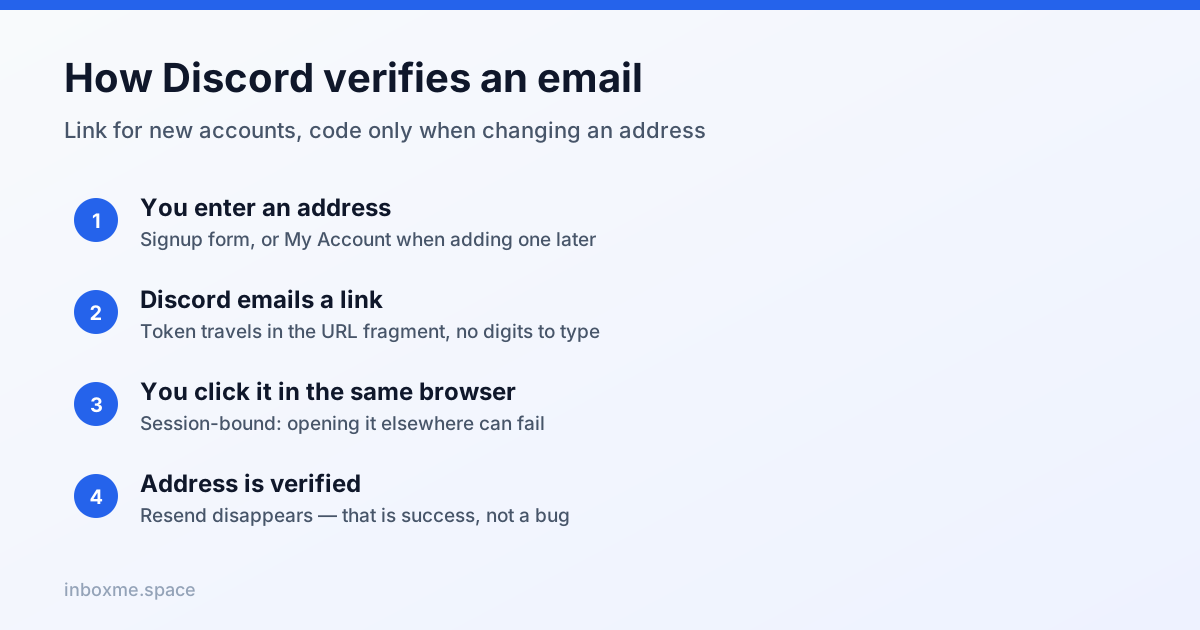
New account: a link, not a code
When you sign up, Discord emails a link that carries a token in the URL fragment. Clicking it opens the client and marks the address verified. There is no code to type, so if you are staring at the inbox waiting for six digits, you are waiting for something that will never be sent.
Changing an email: the code appears
If the account already has a verified address and you try to change it, Discord first sends a confirmation code to the current address, then a link to the new one. This is the trap for anyone who signed up with a temp inbox: the old address has to still be alive to authorise the change.
Resend exists, but only while unverified
Discord offers a resend action only while the address is unverified. Once verified, the option disappears — which people read as a bug rather than success. The path is User Settings → My Account → the email row.
Why the link never arrives — seven causes, ranked
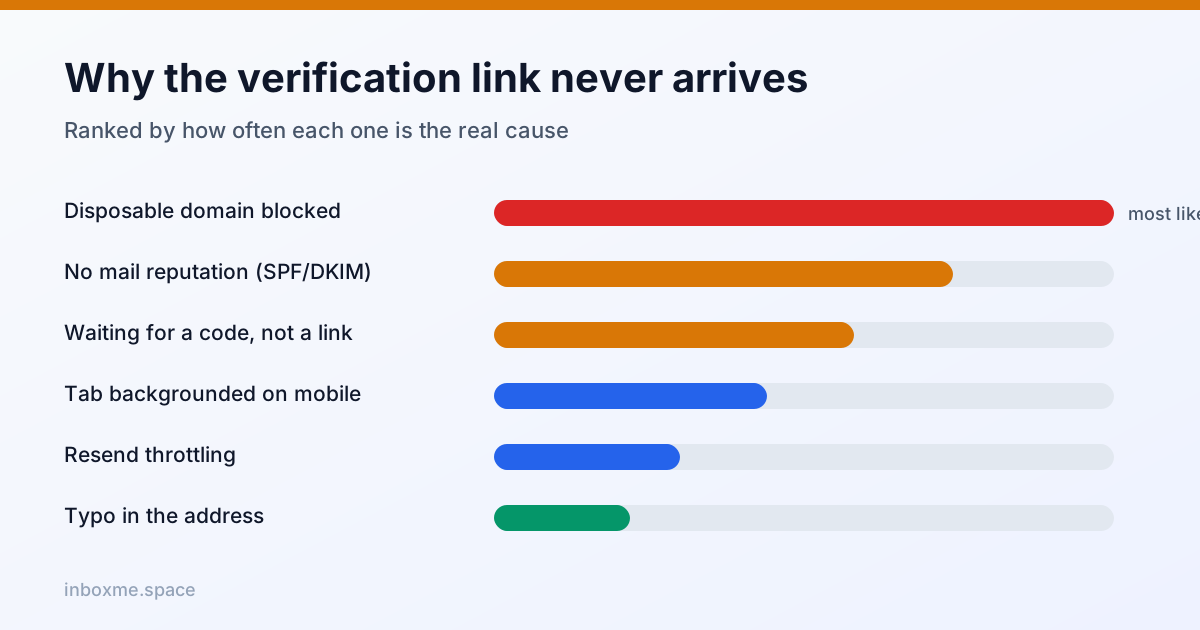
- The domain is blocked or has no reputation. Most likely cause. Fix: generate a new address on a different domain and try again once. Do not paste the same address into the resend button ten times.
- Delivery rejection, not blocking. A domain without proper MX, SPF, DKIM and DMARC records can have its mail dropped or scored as spam before Discord even decides anything.
- You are waiting for a code that does not exist. See above: new accounts get a link.
- The inbox tab went to sleep. Mobile browsers throttle background tabs, so the auto-refreshing inbox stops refreshing. Bring the tab to the foreground, or refresh manually.
- You resent too often. Rapid resends hit rate limits and can look automated. Send once, wait 60–90 seconds, then act.
- A typo in the address. Boring, common, and invisible — the address looks valid, the mail goes nowhere.
- The token expired or was opened in another browser. Verification links are time-limited and session-bound. Request a fresh link and open it in the same browser you signed up in.
You can test the second cause yourself — if a domain has no MX record, mail for it cannot be delivered anywhere, no matter what the signup form accepted:
# does the domain even accept mail?
dig +short MX example-temp-domain.com
nslookup -type=MX example-temp-domain.com
A separate, frequently confused case: Discord escalating to phone verification. That is triggered by behavioural risk signals — new device, new IP, bursty joins — not by the email domain. A cleaner email does not remove it, and VoIP numbers are widely refused.
Is a throwaway address against Discord's rules?
Discord's terms prohibit spam, harassment, ban evasion and abuse. They do not single out disposable email addresses. Using one is a privacy choice, not a rule violation.
What does get accounts restricted is behaviour: many accounts from one device, rapid server joins, automated messages, or evading an existing ban. The email domain is not the trigger. What the domain does affect is whether you can ever get back in.
The recovery problem nobody mentions
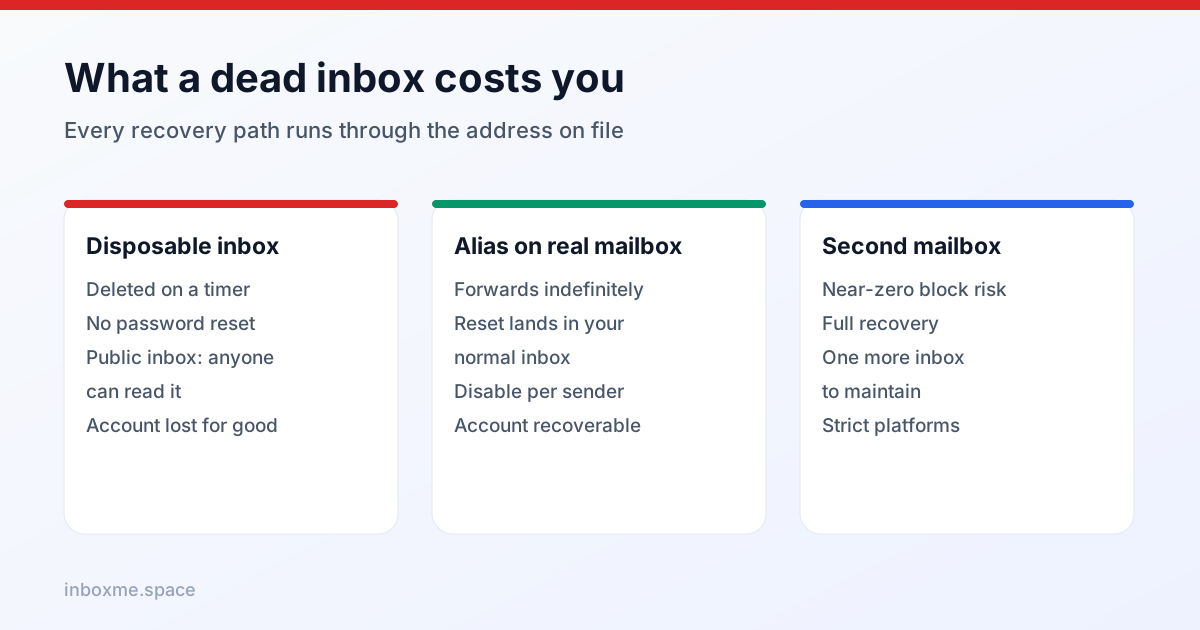
A Discord account accumulates things you cannot rebuild: server memberships, DMs, friends, a username you like. Everything that proves the account is yours routes through that one address:
- password resets
- new-login alerts
- two-factor recovery
- support tickets for a locked account
A temp inbox is deleted by design, and public temp inboxes can be read by anyone who knows the address. That combination makes a throwaway address a bad home for a long-lived account — and you cannot remove an email from Discord, only change it.
The migration recipe: the moment you decide the account matters, go to User Settings → My Account → Change Email, and move it to a recoverable alias or a real mailbox. Do it while the temp inbox still exists, because a verified address needs a confirmation code sent to itself.
Temp inbox vs alias vs second mailbox
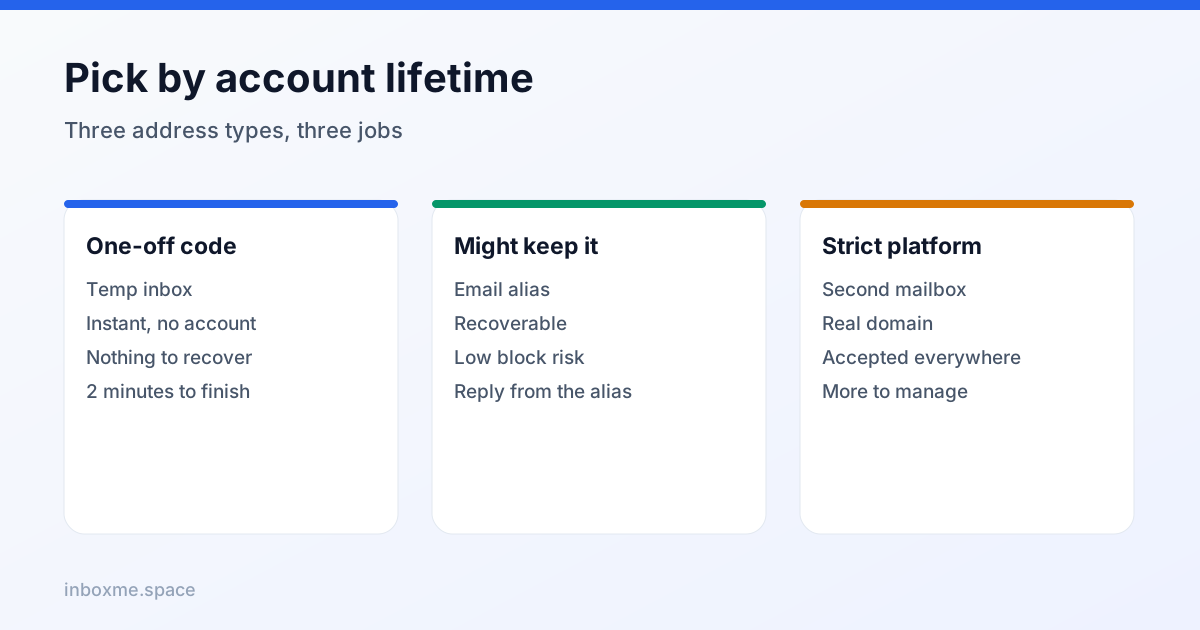
- Disposable inbox — best for one-time verification of an account you do not care about. Not recoverable. Medium-to-high block risk.
- Email alias — a unique forwarding address on your own real mailbox. Recoverable, low block risk, five minutes to set up. The sane default for an account you might keep.
- Second real mailbox — for platforms that refuse both. One more inbox to manage, near-zero block risk.
Step by step with inbox Me
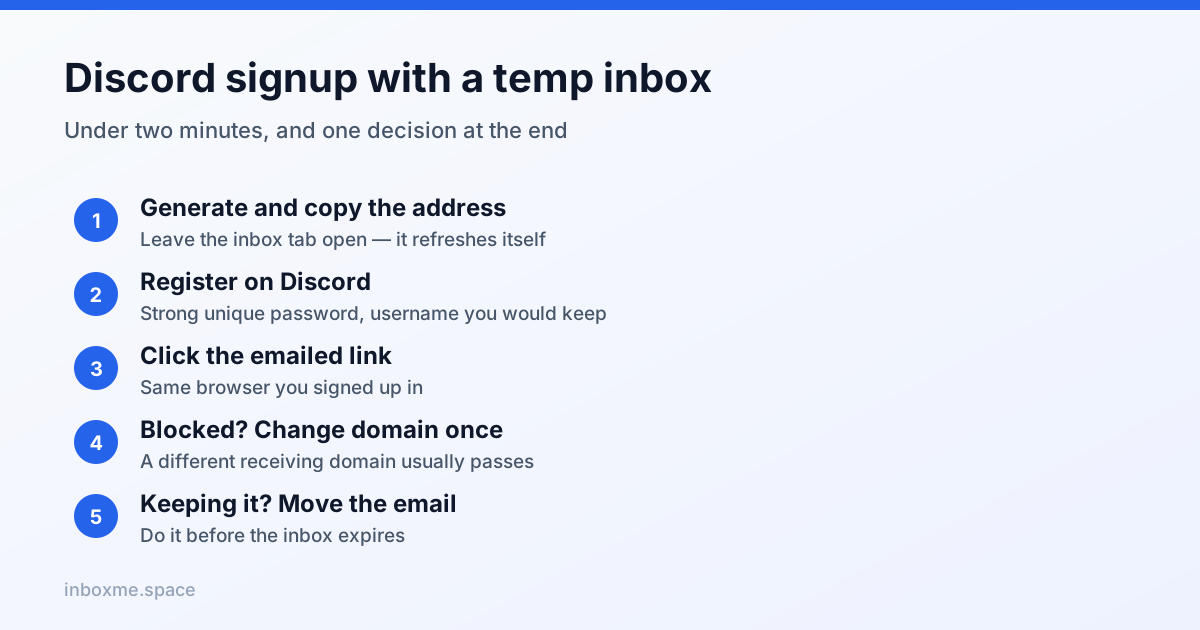
- Open inbox Me and copy the address shown. Leave the tab open — the inbox refreshes itself.
- In Discord, click Register, enter a username, a strong unique password and the temp address. Choose a username you would keep: it is the one thing you cannot change for free later.
- Watch the inbox. The verification link usually lands within seconds. Open it in the same browser.
- If nothing arrives in two minutes, press the change-address control on inbox Me to get a different domain and try once more.
- The moment the account is verified, decide: throwaway, or worth keeping? If keeping, switch the email to a recoverable address immediately.
Discord sometimes asks for a phone number on a brand-new account from a fresh IP. Slow down, verify from a stable connection, and do not reach for SMS-bypass services — those are a fast route to a permanent ban and account theft.
What not to do
- Do not use a public temp inbox for an account that will hold 2FA codes, payment details or a community you care about.
- Do not create accounts to evade a ban. That is a terms violation regardless of which email you used.
- Do not buy "Discord phone verification" services. They commonly end in a locked or stolen account.
- Do not reuse one temp address across many services; you lose the only real benefit, which is separating senders.
FAQ
Can you verify Discord with a temp email?
Usually yes. The link flow works on most disposable domains, provided the domain is not blocklisted and you click the link while the inbox is still alive. It is a bad choice for an account you intend to keep.
Why is Discord not sending my verification email?
In order of likelihood: the domain is blocked, the domain has no mail reputation, the mail was filtered, the address has a typo, or you resent too many times and got throttled. Try one fresh domain, wait 90 seconds, then switch to an alias.
Does Discord send a 6-digit code or a link?
A link for new signups. A 6-digit code only appears when you change the email on an account that already has a verified address.
How long does the verification link last?
The token is signed and time-limited, and it is tied to the session that requested it. If it errors, request a new one instead of editing the URL.
Will Discord ban me for using a disposable email?
There is no rule against disposable addresses themselves. Bans come from spam, abuse, ban evasion or multi-account abuse. The realistic risk is losing account recovery, not being banned for the inbox.
How do I move a Discord account off a temp email?
User Settings → My Account → Change Email. If the old address was never verified you can change it directly; if it was verified, Discord sends a confirmation code to the old address first, so the temp inbox must still be reachable.
Why did Discord suddenly ask for a phone number?
Behavioural risk signals — a new device, a new IP, rapid joins — not the email domain. Verifying from a stable connection and slowing down usually avoids it.